OpenCode 安装与配置指南
在 WSL2 上安装和配置 OpenCode AI 编程助手的完整步骤,包括安装脚本、环境配置和常见问题排查。
·199 字·1 分钟
0用官方推荐的安装脚本安装:
bash
curl -fsSL https://opencode.ai/install | bash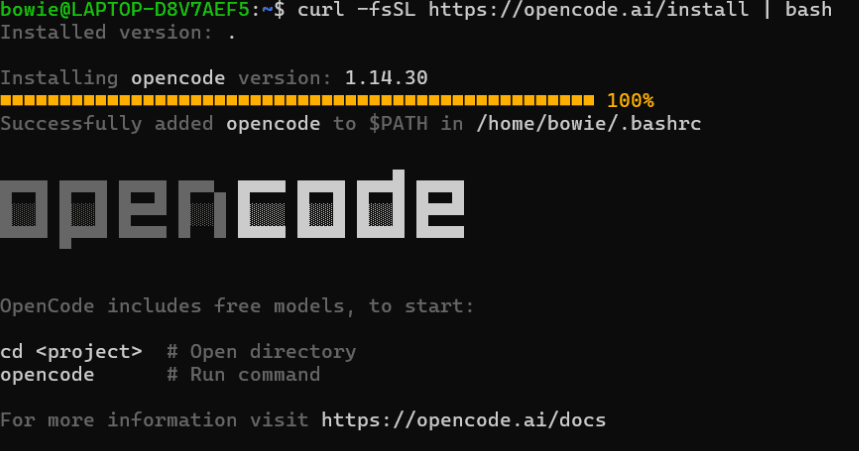
如果之前在 Windows 上安装过 OpenCode,在 WSL 2 中启动时可能报错:
bash
It seems that your package manager failed to install the right version of the opencode CLI for your platform. You can try manually installing "opencode-linux-x64" or "opencode-linux-x64-baseline" or "opencode-linux-x64-musl" or "opencode-linux-x64-baseline-musl" package需要输入以下命令确认一下:
bash
which opencode应该输出类似
/home/bowie/.opencode/bin/opencode。如果还是/mnt/c/...,就需要把 Windows 侧的 npm 全局 opencode 卸掉。
然后在 WSL2 中测试:
bash
# 重新加载你的 shell 配置文件,让 `.bashrc` 里新增的 PATH 修改在当前终端立即生效
source ~/.bashrc

# 查看系统从哪个路径找到 `opencode` 这个命令
which opencode版权声明
本文为作者原创文章,遵循 CC BY-NC-ND 4.0 协议。转载时请注明出处,禁止商用。